Description
Note: Many products are not yet listed. Please contact us for more product information. Our supply channels are constantly expanding, and we currently have 20 stable shared supply channels. Please confirm the model, product, price, and all other necessary information with customer service before placing an order. We offer new, refurbished, and used products, and prices are adjusted according to the year of the item you require.
3. Key Technical Specifications
Confirm each line against the OEM datasheet and the label on your existing module before ordering. The 1756-DHRIO was built in several series revisions, and the firmware revision and channel configuration must match your system.
| Parameter | Value |
|---|---|
| Model | 1756-DHRIO |
| Brand | Allen-Bradley |
| Product Family | ControlLogix (1756) |
| Module Type | DH+/RIO communication module |
| Channels | 2 (each configurable as DH+ or RIO) — verify on the module label |
| DH+ Data Rate | 57.6 kbps (fixed) — verify |
| RIO Data Rates | 57.6, 115.2, 230.4 kbps — verify supported rates on your firmware |
| Connector Type | 8-pin mini-DIN (DH+/RIO) — verify |
| Backplane Current (5V DC) | Verify with OEM datasheet — confirm on the module label |
| Backplane Current (24V DC) | Verify with OEM datasheet |
| Power Consumption | Verify with OEM datasheet |
| Isolation | 1500V AC (network to backplane) — verify |
| Compatible Controllers | ControlLogix 1756-L6x, L7x, L8x — verify firmware support |
| Chassis Compatibility | 1756-A4, A7, A10, A13, A17 and 1756 expansion chassis |
| Configuration Software | Studio 5000 / RSLogix 5000 — verify supported version |
| Status Indicators | Module status, channel status, network activity — verify LED arrangement |
| Operating Temperature | 0 °C to +60 °C |
| Storage Temperature | –40 °C to +85 °C |
| Humidity | 5% – 95% RH, non-condensing |
| Certifications | UL 508, CSA C22.2, CE — verify on the specific unit’s label |
4. Product Introduction
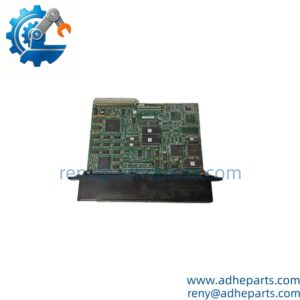
The Allen-Bradley 1756-DHRIO is a dual-channel communication module for the ControlLogix platform. It connects a ControlLogix controller to legacy Data Highway Plus (DH+) and Remote I/O (RIO) networks, allowing the controller to exchange data with PLC-5, SLC 500, and older remote I/O racks. Each of the two channels can be configured independently as a DH+ or RIO port.
The engineering value is the bridge between the modern ControlLogix architecture and the installed base of legacy networks. In many plants, the ControlLogix controller is the new system, but the field devices and the remote racks still speak DH+ or RIO. The 1756-DHRIO lets the controller poll those devices without a gateway, and it presents the data as ordinary I/O in the Studio 5000 project. In my experience, the most common integration issue is the channel configuration: a module set for DH+ on a channel that is wired to a RIO network will not communicate, and the fault looks like a bad module.
Two things decide whether a swap works. First, the firmware revision. The module firmware must match the version the Studio 5000 project expects, or the module will not initialize. Second, the channel configuration. The DH+/RIO mode, the data rate, and the node address must match the network settings on the other end.
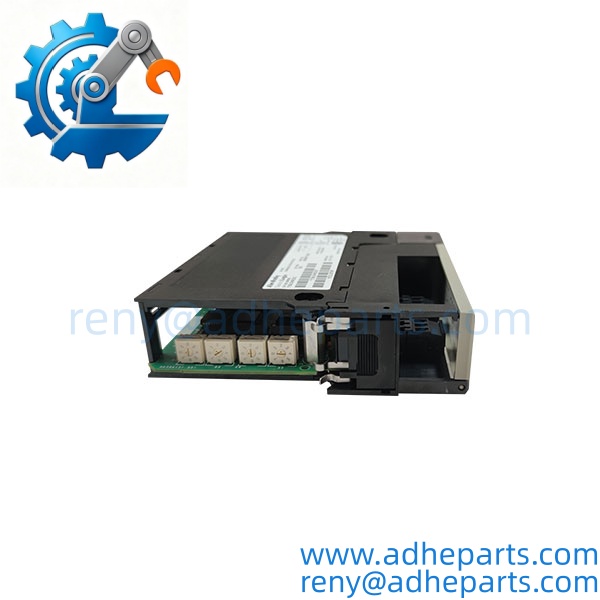
1756-DHRIO
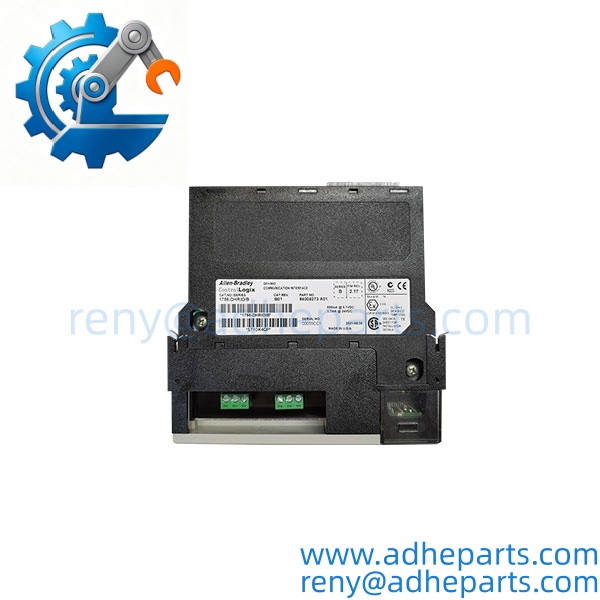
1756-DHRIO
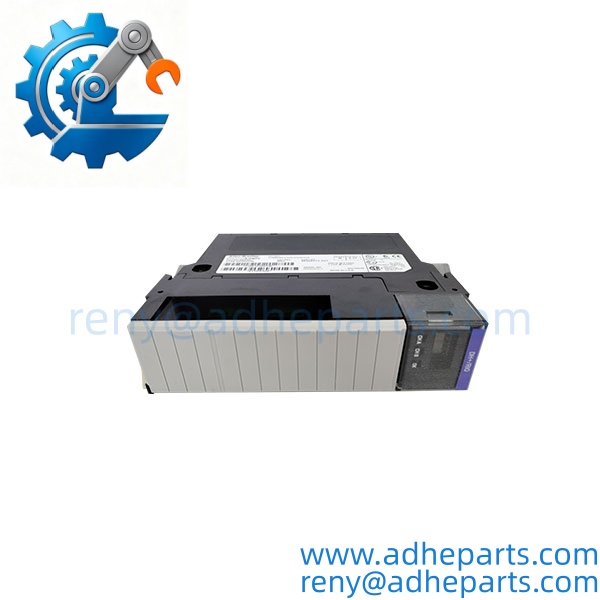
1756-DHRIO
5. Application Scenarios & Field Experience
Part 1 – Narrative Paragraph
The failure that costs the most downtime on a legacy network bridge is a channel that drops under load. The ControlLogix controller is running, the DH+ network is configured, and then the module stops polling a remote rack. The operator sees stale data, and the maintenance team replaces the module. I have seen that on a plant where the DH+ cable shield was grounded at both ends, and the ground loop injected noise into the network. The module was reporting the fault correctly. Before you replace a 1756-DHRIO, check the cable, the termination, and the channel configuration. A new module with the same wiring will fault the same way.
Part 2 – Numbered List (Application Scenarios)
- Automotive Assembly – PLC-5 to ControlLogix Migration – The module connects a ControlLogix controller to an existing PLC-5 on a DH+ network. The ControlLogix program reads and writes the PLC-5 data blocks without replacing the legacy controller.
- Water Treatment – Remote I/O Rack Integration – The module acts as a RIO scanner for a remote 1771 or 1746 I/O rack. The ControlLogix controller sees the remote I/O as local I/O in the project.
- Material Handling – Conveyor Control Network – Used to bridge a ControlLogix controller to a DH+ network of SLC 500 controllers on a conveyor system. The module polls the SLCs for status and sends start/stop commands.
- Oil & Gas – Legacy RTU Integration – The module connects a ControlLogix controller to a DH+ network of legacy RTUs at a gathering station. The controller collects the RTU data and forwards it to the SCADA system.
Part 3 – Short Field Story
A water treatment plant had a ControlLogix controller that would lose communication with a remote I/O rack every few hours. The crew had replaced the 1756-DHRIO module and the fault came back. We asked them to check the RIO cable and the termination. The cable had a damaged connector at the remote rack end, and the termination resistor was missing. The plant replaced the cable, installed the terminator, and reinstalled the original module. The communication faults stopped. The module had been doing its job — the cable and termination were the problem.
6. Standard Operating Procedure (SOP) for Quality Control
- Visual & Origin Inspection – We verify the Allen-Bradley marking, the 1756-DHRIO catalog number, and the date code. We inspect the backplane connector and the mini-DIN connectors for bent pins or damage. A module with a cracked connector or evidence of moisture ingress is rejected.
- Revision and Firmware Documentation – We read and photograph the full catalog number, the series letter, and the firmware revision. That record ships with the module so you can compare it against the unit you are replacing.
- Chassis Fit Verification – Each module is seated in a 1756 test chassis to confirm the edge connector engages fully and the retention screw holds. A module that fits loosely will cause intermittent backplane faults.
- Power-Up Self-Test – The module is powered in a live ControlLogix chassis and we verify it completes its boot sequence and that the processor recognizes the module type without a fault.
- DH+ Communication Test – We configure one channel as DH+ and connect it to a test DH+ network. We verify the module polls a test node at 57.6 kbps and logs any errors.
- RIO Communication Test – We configure one channel as RIO and connect it to a test RIO rack. We verify the module scans the rack at the configured data rate and logs any errors.
- Channel Configuration Test – We verify the module accepts the DH+ and RIO configurations independently and that the settings survive a power cycle.
- ESD-Safe Packaging – The module is wrapped in anti-static film, seated in a conductive foam insert with the connectors protected, and packed in a double-wall carton with static warning labels.
7. Frequently Asked Questions (FAQ)
Q1: Can both channels be configured differently on the same module?
A: Yes. The 1756-DHRIO has two independent channels, and each can be configured as DH+ or RIO. You can run one channel as DH+ and the other as RIO on the same module. The configuration is set in Studio 5000, and the module stores it. Verify the channel assignments against your network design before you order.
Q2: Will this module work with my ControlLogix processor without a firmware change?
A: Only if the module firmware revision is compatible with your processor firmware and your Studio 5000 project. A module with a newer firmware revision may not be recognized by an older processor firmware. Read the firmware revision off your existing module and compare it to the replacement before you order.
Q3: What is the warranty on this module?
A: We offer a 12-month warranty from the ship date. It covers component failure, backplane connector failure, and network communication failure under normal operating conditions. It does not cover damage from hot-swapping the module with the chassis energized, bent pins from forced insertion, or field wiring faults that cause a network fault. We test every module in a live ControlLogix chassis on both DH+ and RIO networks before it ships.
Q4: Do you have this in stock?
A: 1756-DHRIO inventory moves and varies by series revision. Confirm availability before you plan an outage. If we are out of the revision you need, we will tell you what we actually have rather than quote a date we cannot hold.
Q5: Any installation pitfalls I should watch for?
A: Four. First, power down the chassis before inserting or removing the module — ControlLogix modules are not hot-swap capable in most configurations. Second, record the firmware revision and the channel configuration from the old module before you remove it. Third, verify the network cable and termination at both ends of the DH+ or RIO segment; a missing terminator or a damaged connector causes intermittent faults that look like a bad module. Fourth, after the swap, verify the module communicates on both channels and that the processor sees the network data before you return the system to service. A module that powers up is not necessarily communicating correctly.