Description
Note: Many products are not yet listed. Please contact us for more product information. Our supply channels are constantly expanding, and we currently have 20 stable shared supply channels. Please confirm the model, product, price, and all other necessary information with customer service before placing an order. We offer new, refurbished, and used products, and prices are adjusted according to the year of the item you require.
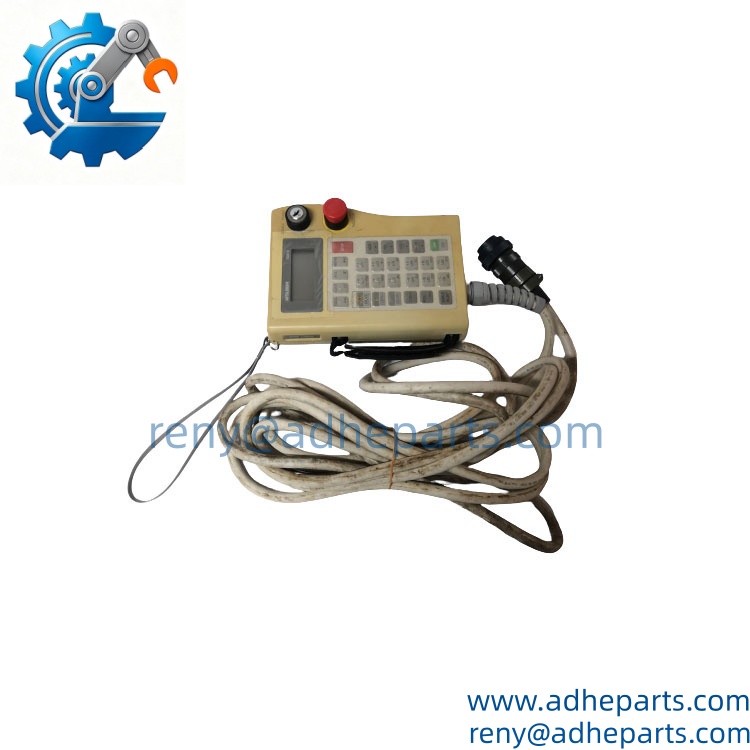
Mitsubishi R28TB
Key Technical Specifications
| Parameter | Value |
|---|---|
| Brand | Mitsubishi Electric |
| Model | R28TB |
| Product Type | Robot Teaching Pendant |
| Application | MELFA Industrial Robots |
| Cable Length | 7 m standard |
| Special Cable Version | R28TB-15, 15 m |
| Interface | RS-422 |
| Connector | 30-pin round connector |
| Display | Backlit LCD |
| Display Format | 16 characters × 4 lines |
| Operation Keys | 28 keys |
| Enable Device | 3-position deadman / enable switch |
| Protection Rating | IP65 |
| Dimensions | Approx. 153 × 203 × 70 mm |
| Weight | Approx. 0.5 kg without cable |
| Main Functions | Position teaching, jogging, program editing, robot operation |
| Compatible Controllers | Depending on robot generation; examples include CR1/CR2/CR4/CR7/CR9 |
| Status | Legacy / discontinued in some configurations |
Mitsubishi’s technical material specifies the R28TB with a 7 m cable, RS-422 interface, 16 × 4 LCD, 28-key operation panel, and IP65 protection.
A longer-cable version, R28TB-15, is specified with a 15 m cable. Mitsubishi also notes that special cable lengths or specifications may be indicated by the suffix.
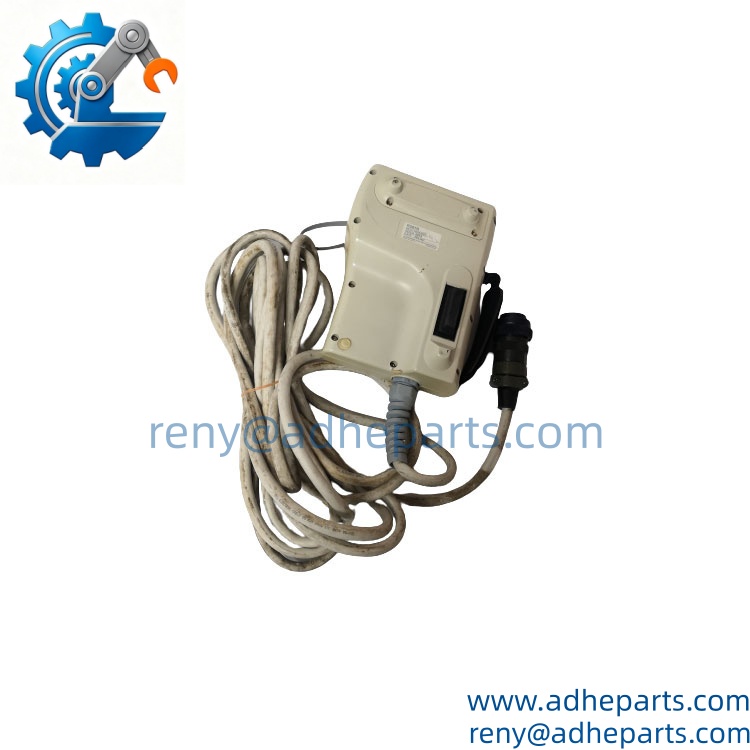
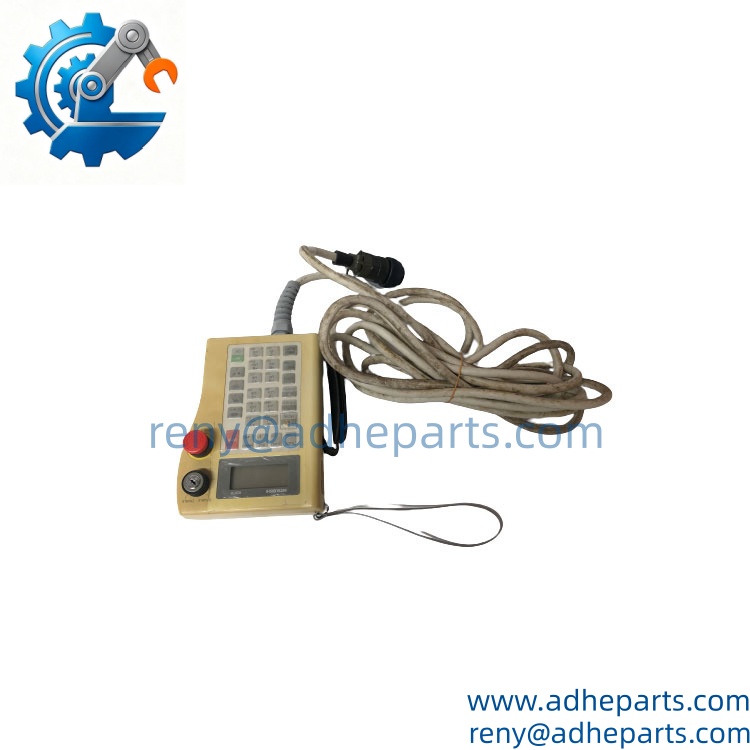
Mitsubishi R28TB
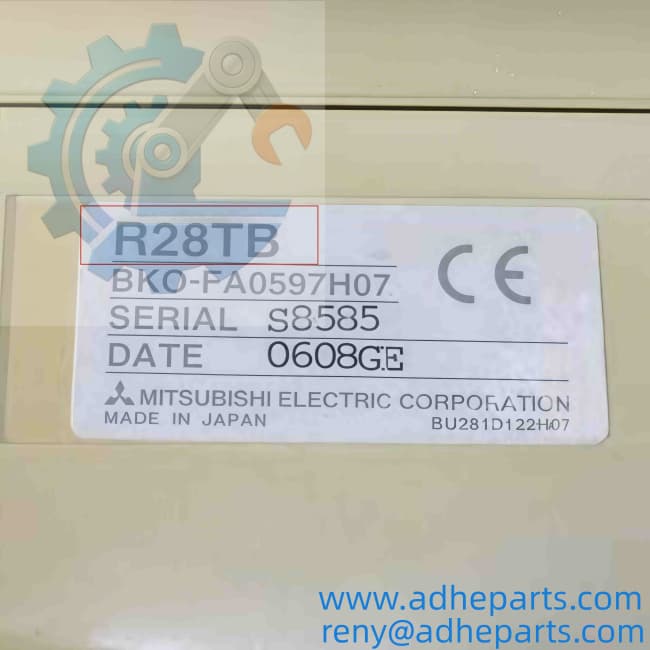
Mitsubishi R28TB
Product Introduction (Anti-Template)
A robot can be mechanically healthy and still be difficult to commission if the operator cannot access the teaching interface. The Mitsubishi R28TB provides the handheld control interface used to teach positions, jog the robot, create and edit programs, and control servo operation on compatible MELFA systems. Mitsubishi specifies an RS-422 connection and a backlit 16 × 4-character LCD for this teaching box.
The pendant also incorporates a three-position enable switch, which is an important safety element during manual robot operation. The standard R28TB uses a 7 m cable, while -15 is the 15 m special-cable version.
QC, Procurement & Logistics SOP
- Inbound Verification
- Confirm the exact model: .
- Check the Mitsubishi identification label and serial number.
- Verify the cable length.
- Inspect the 30-pin connector and cable for damage.
- Check the LCD for dead pixels, contrast problems, or backlight failure.
- Inspect the emergency-stop and three-position enable switch.
- Confirm the customer’s robot controller model before approving compatibility.
- Live Rig Testing
- Connect the pendant to a compatible Mitsubishi robot controller.
- Confirm that the controller recognizes the teaching box.
- Check the LCD and all 28 keys.
- Test menu navigation and program editing functions.
- Verify robot jog functions under an approved maintenance/test procedure.
- Test the three-position enable switch and emergency-stop function.
- Check the cable and connector for intermittent communication.
- QA & Anti-Static Packaging
- Photograph the model label and connector before packing.
- Protect the LCD surface against scratches and pressure.
- Coil the cable without creating a sharp bend.
- Protect the connector with a suitable cover.
- Use rigid cushioning around the pendant body.
- Keep the unit dry during international transportation.
- Global Logistics & Export Compliance
- Prepare the commercial invoice, packing list, product description, origin information, and applicable HS classification.
- Use a clear description such as Mitsubishi MELFA industrial robot teaching pendant.
- Air shipment is generally practical for a single pendant.
- Use reinforced packaging because the LCD and connector are vulnerable to impact.
- Confirm the final HS classification with the destination customs broker before export declaration.
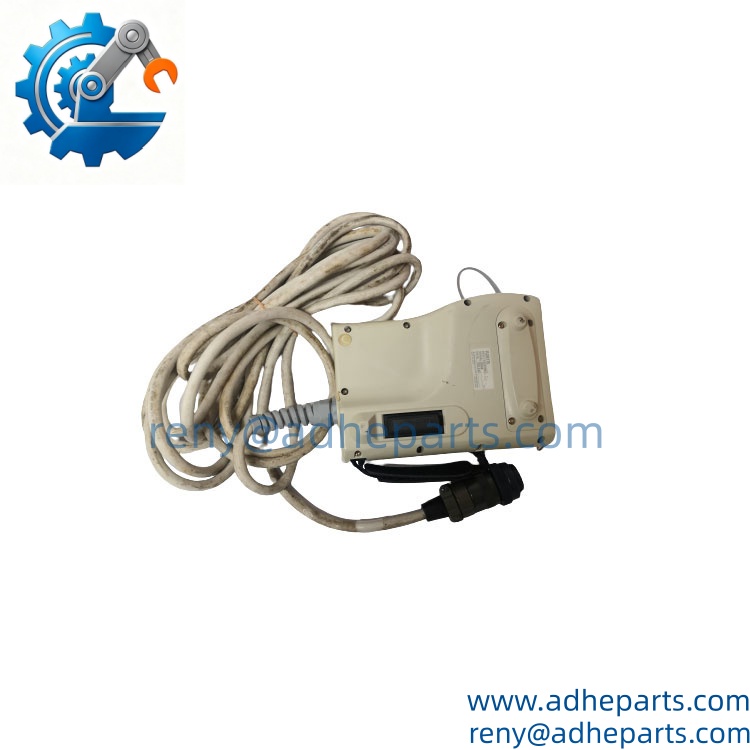
Mitsubishi R28TB
Technical Pitfalls & Integration Warnings
1. Controller Compatibility
Do not assume every Mitsubishi robot controller accepts every configuration.
Mitsubishi’s documentation shows the across multiple MELFA controller and robot generations, while newer controller families can require an adapter. For example, Mitsubishi documentation states that connection of to a CR750-D/Q controller requires an R28CON adapter.
Scenario: A customer purchases an as a replacement for an older pendant, but the installed controller is a newer generation requiring an adapter. The pendant itself may be genuine and functional, yet it cannot be connected directly.
2. Cable Length
The standard is specified with a 7 m cable, while uses a 15 m cable.
If the customer’s existing pendant is -15, supplying a standard can create an unexpected installation problem—especially when the controller cabinet is located far from the robot cell.
3. Enable Switch / Emergency Stop
The three-position enable switch is not just another button. It forms part of the robot’s operator-safety arrangement.
Scenario: The LCD and keypad work normally, but the robot cannot enter servo-on or manual operation because the enable switch circuit is faulty. Do not judge the pendant solely by whether the display turns on.
4. Connector and Cable Damage
The communicates through an RS-422 interface and uses a dedicated round connector.
A cable can look fine externally while having an intermittent conductor fault near the connector or strain-relief area. During QC, gently check communication while moving the cable through its normal operating range.
Frequently Asked Questions (FAQ)
Q1: What is Mitsubishi ?
The is a Mitsubishi MELFA robot teaching pendant used for robot programming, position teaching, jogging, and operational control.
Q2: What is the standard cable length?
The standard version is supplied with a 7 m cable. Mitsubishi also specifies as a 15 m special-cable version.
Q3: What controllers can use ?
Compatibility depends on the robot generation and controller. Mitsubishi documentation shows used with multiple MELFA controller families, including CR-series systems. Some newer controllers may require an adapter such as R28CON.
Before purchasing, provide the exact controller model rather than only the robot-arm model.
Q4: What interface does use?
The uses an RS-422 interface and a dedicated 30-pin round connector.
Q5: What is the display specification?
It uses a backlit LCD with 16 characters × 4 lines. The pendant has 28 operating keys.
Q6: Is IP65 rated?
Yes. Mitsubishi documentation specifies IP65 protection for the teaching pendant’s manual operation section.
Q7: Can be hot-swapped?
Do not assume that it can. Disconnecting a teaching pendant while the robot controller is active can affect operator control and safety circuits. Follow the controller’s approved maintenance procedure before connecting or removing the pendant.
Q8: What should I provide when ordering a replacement ?
For a reliable compatibility check, provide:
- Exact pendant model
- Cable length
- Robot model
- Controller model
- Existing pendant label
- Connector photograph
- Current pendant fault, if any
For this part, the controller model and cable configuration are the two details I would verify first.
Pre:RMP201-8 KONGSBERG | 8-Channel Digital I/O, Fast Shipping
Next:Motorola MVME162‑213 | Single‑Board Computer | Direct Replacement Unit