Description
Note: Many products are not yet listed. Please contact us for more product information. Our supply channels are constantly expanding, and we currently have 20 stable shared supply channels. Please confirm the model, product, price, and all other necessary information with customer service before placing an order. We offer new, refurbished, and used products, and prices are adjusted according to the year of the item you require.
3. Key Technical Specifications
Confirm each line against the OEM datasheet and the label on your existing module before ordering. Memory size and firmware revision vary across the GuardLogix 5570 family.
| Parameter | Value |
|---|---|
| Model | 1756-L72S |
| Brand | Allen-Bradley |
| Product Family | GuardLogix 5570 (ControlLogix) |
| Controller Type | Combined standard and safety controller |
| Safety Integrity Level | SIL 3 / PLe capable — requires a 1756-RM2 safety partner module |
| Safety Partner | 1756-RM2 — must be installed in the slot immediately to the right of the controller |
| Standard Memory | Verify with OEM datasheet — confirm on the module label |
| Safety Memory | Verify with OEM datasheet |
| Programming Software | Studio 5000 Logix Designer — verify supported version |
| Integrated Communication | USB (programming) + RS-232 serial — no integrated Ethernet |
| Ethernet Communication | Requires a separate 1756 communication module (e.g., 1756-EN2T/EN2TR) |
| Safety I/O Network | EtherNet/IP with CIP Safety — verify the network module supports CIP Safety |
| Local I/O Capacity | Verify with OEM datasheet — depends on the chassis and power supply |
| Chassis Compatibility | 1756-A4, A7, A10, A13, A17, and 1756 expansion chassis — verify backplane revision |
| Power Supply | Requires a 1756 power supply in the same chassis — verify sizing against total rack load |
| Backplane Current (5V DC) | Verify with OEM datasheet |
| Backplane Current (24V DC) | Verify with OEM datasheet |
| Status Indicators | Run, Fault, Safety Status, Battery — verify LED arrangement on your build |
| Battery | Lithium backup for RAM and clock — verify cell type and replacement interval |
| Operating Temperature | 0 °C to +60 °C |
| Storage Temperature | –40 °C to +85 °C |
| Humidity | 5% – 95% RH, non-condensing |
| Weight | Verify with OEM datasheet |
| Certifications | UL 508, CSA C22.2, CE, TÜV (SIL 3) — verify on the specific unit’s label |
4. Product Introduction
The Allen-Bradley 1756-L72S is a GuardLogix 5570 controller — a combined standard and safety PLC for the ControlLogix platform. It executes the standard control program and the safety program in one chassis, which means you do not need a separate safety controller for your E-stop and interlock logic. The standard side runs ordinary ControlLogix I/O and communication modules; the safety side runs CIP Safety I/O over EtherNet/IP and reaches SIL 3 / PLe when paired with the 1756-RM2 safety partner.
Two engineering facts decide whether a swap works. First, the safety partner. The L72S will not run safety functions without a 1756-RM2 installed in the adjacent slot. If you are replacing a controller in a safety system, verify the partner module is present and matched to the controller’s firmware revision. Second, the firmware. The safety program and the safety I/O configuration are tied to the controller firmware revision. A newer revision may require you to re-verify the safety application in Studio 5000 before you can download it.
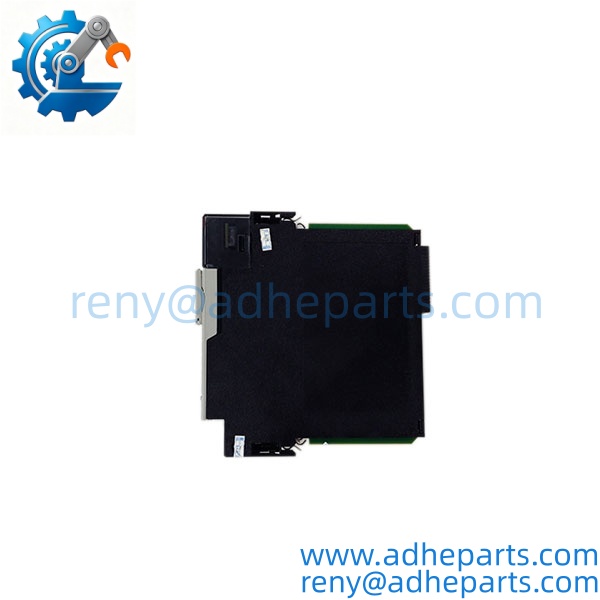
1756-L72S
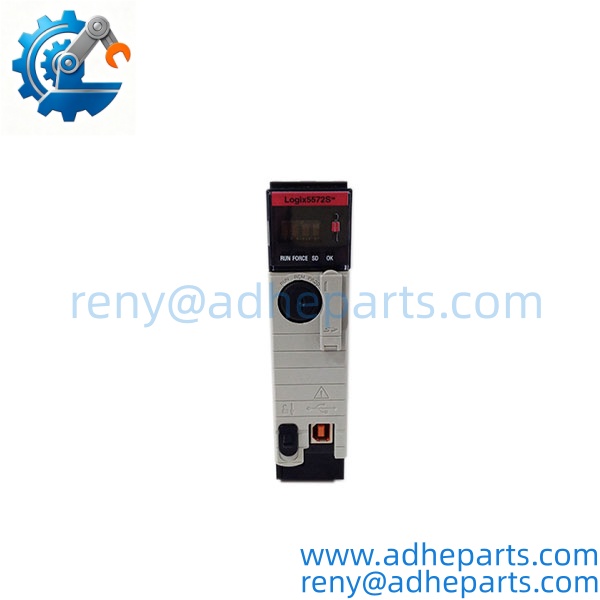
1756-L72S
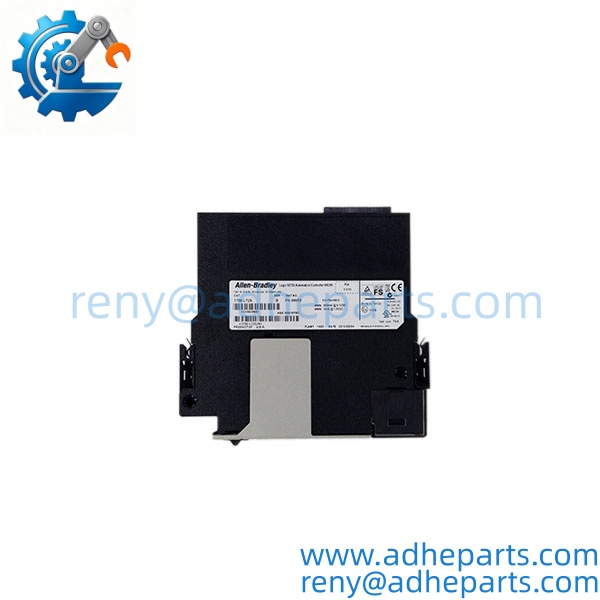
1756-L72S
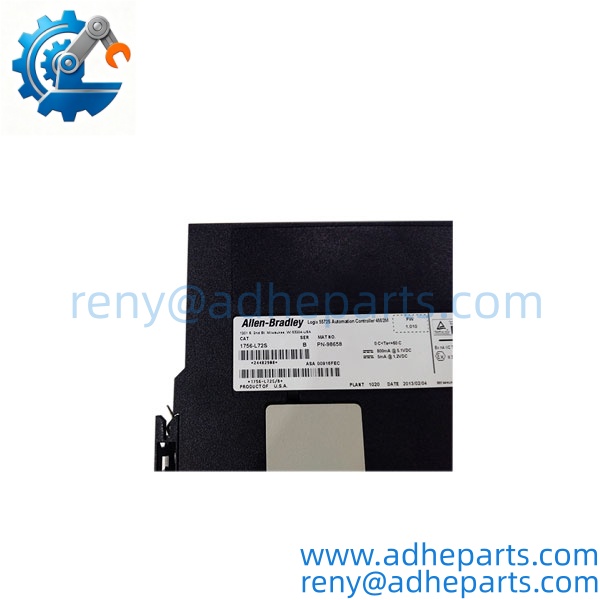
1756-L72S
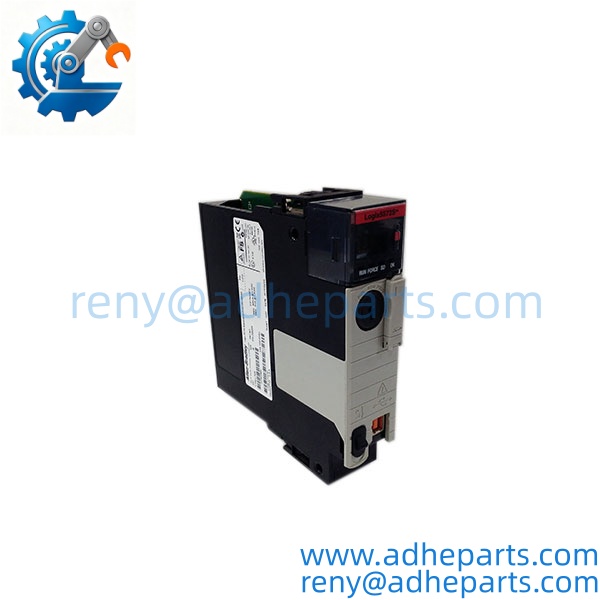
1756-L72S
5. Application Scenarios & Field Experience
Part 1 – Narrative Paragraph
The failure that hurts most on a GuardLogix system is not a dead controller — it is a safety partner mismatch that leaves the safety functions disabled. The controller runs, the standard program executes, and the machine appears to operate. What nobody sees until an E-stop is pressed is that the safety side has been in a fault state for days. I have seen that scenario on a press line where the safety partner had been replaced with a different firmware revision and the safety signature no longer matched. The line ran for a week before an operator noticed the safety status indicator was amber, not green. When you replace a GuardLogix controller, verify the safety signature and the partner module status before you return the cell to production. That check takes five minutes and prevents a catastrophic failure.
Part 2 – Numbered List (Application Scenarios)
- Automotive Assembly – Press and Weld Cell Safety – The controller runs the standard cell sequencing and the safety interlock logic for E-stops, light curtains, and safety gates. The safety partner provides the redundancy required for SIL 3.
- Packaging Machinery – Guard Door and E-Stop Monitoring – The controller executes the machine control and the safety monitoring in one chassis. CIP Safety I/O over EtherNet/IP reduces the wiring compared to hardwired safety relays.
- Material Handling – AGV and Conveyor Safety – Used on systems where the safety functions and the standard control are tightly coupled. The combined architecture eliminates the handshaking between separate standard and safety controllers.
- Oil & Gas – Wellhead and Pipeline Safety Systems – Deployed where the safety requirement is SIL 3 and the standard control is also handled by the same controller. The safety partner provides the diagnostic coverage the application requires.
Part 3 – Short Field Story
A stamping plant in the Midwest had a press line that would not reset after an E-stop. The crew had replaced the safety relay, the light curtain, and the safety I/O module. The reset still would not complete. We asked them to check the GuardLogix controller’s safety status indicator. It was amber — the safety partner had faulted and the safety side was disabled. The controller had been running the standard program with no safety functions active. The plant replaced the 1756-RM2 safety partner, re-verified the safety signature, and the press returned to service. The controller had been fine — the partner was the problem.
6. Standard Operating Procedure (SOP) for Quality Control
- Visual & Origin Inspection – We verify the Allen-Bradley marking, the 1756-L72S model string, and the date code. We inspect the backplane connector for bent pins and the front-panel connectors for damage. A module with a cracked connector shroud or evidence of moisture ingress is rejected.
- Revision and Firmware Documentation – We read and photograph the full model string, the firmware revision, the safety signature (if applicable), and the battery date code. That record ships with the module so you can compare it against the unit you are replacing.
- Battery Verification – We measure the onboard lithium cell under load. A cell reading below the OEM minimum is replaced before shipping, and the new date code is recorded on the test sheet.
- Backplane Fit Verification – Each module is seated in a ControlLogix test chassis to confirm the connector engages fully and the retention mechanism holds. A module that fits loosely will cause intermittent backplane faults in the field.
- Power-Up and Self-Test – The module is powered in a live chassis and we verify it completes its boot sequence, the Run LED indicates normal operation, and the controller reports no configuration error.
- Safety Partner Verification – Where a 1756-RM2 is supplied with the controller, we verify the pair synchronizes and that the safety status indicator shows normal operation.
- Communication Port Test – We verify the USB port enumerates on a host computer and the serial port communicates with a test partner. We do not test Ethernet because the L72S does not have an integrated Ethernet port.
- ESD-Safe Packaging – The module is wrapped in anti-static film, seated in a conductive foam insert with the connectors protected, and packed in a double-wall carton with static warning labels.
7. Frequently Asked Questions (FAQ)
Q1: Do I need the 1756-RM2 safety partner, or can the L72S run safety functions on its own?
A: The requires the 1756-RM2 safety partner to run safety functions. Without it, the controller will run the standard program but the safety side will be disabled. If you are replacing a controller in a safety system, verify the partner module is present and that its firmware revision matches the controller. Do not assume the controller will work standalone — it will not.
Q2: Will my existing safety program load into this controller?
A: Only if the firmware revision matches or is compatible with your Studio 5000 project. The safety program and the safety signature are tied to the controller firmware revision. If the replacement has a newer revision, you may need to update your project and re-verify the safety application before you can download. Pull your existing project file and the safety signature before you remove the old controller — that file is your recovery path.
Q3: Does the have an integrated Ethernet port?
A: No. The 1756- has USB and RS-232 serial ports for programming, but no integrated Ethernet. You need a separate 1756 communication module (such as the 1756-EN2T or 1756-EN2TR) for EtherNet/IP communication and for CIP Safety I/O. Verify the network module supports CIP Safety before you install it in a safety application.
Q4: Do you have this exact model in stock?
A: GuardLogix inventory moves and varies by firmware revision. Confirm availability before you plan an outage. If we are out, we will tell you what we actually have. Do not assume any GuardLogix controller will drop in — the firmware revision and the safety partner pairing matter.
Q5: Any installation pitfalls I should watch for?
A: Four. First, power down the chassis before inserting or removing the controller. These modules are not hot-swap capable. Second, verify the safety partner is installed in the slot immediately to the right of the controller and that it is the correct model for the controller revision. Third, verify the power supply is sized for the full rack load — adding a GuardLogix controller and a safety partner to an undersized 1756 power supply will cause brownout faults that look like controller failures. Fourth, after the swap, verify the safety signature and the safety status indicator before you return the cell to production. A controller that powers up is not necessarily running the safety functions.